Selecting grid points
thinning
You can thin a dataset by specifying the thinning parameter in the
open_dataset function. The thinning parameter depends on the
method selected. The default (and only) method is “every-nth”, which
will mask out all but every Nth point, with N specified by the
thinning parameter.
ds = open_dataset(dataset, thinning=N, method="every-nth")
Please note that the thinning will apply to all dimensions of the fields. So for 2D fields, the thinning will apply to both the latitude and longitude dimensions. For 1D fields, such as reduced Gaussian grids, the thinning will apply to the only dimension.
The following example shows the effect of thinning a dataset with a 1 degree resolution:
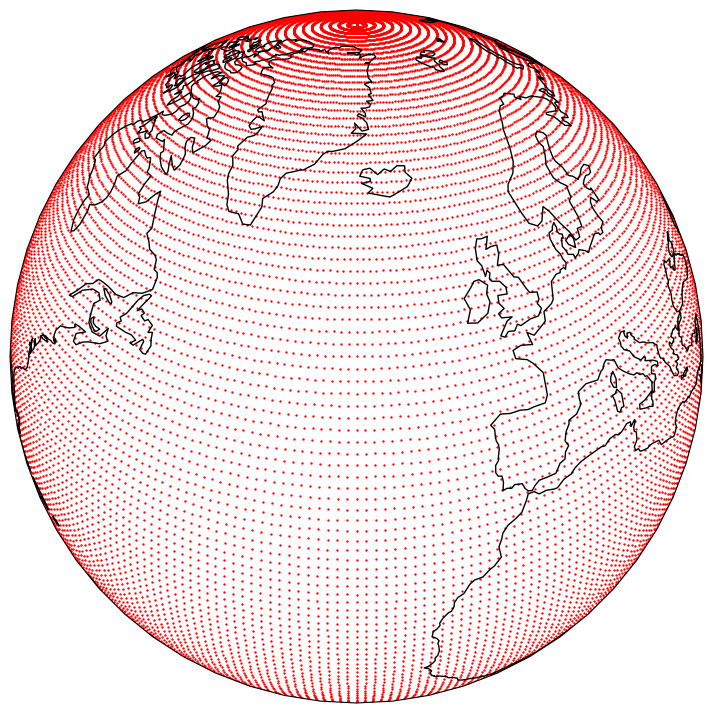
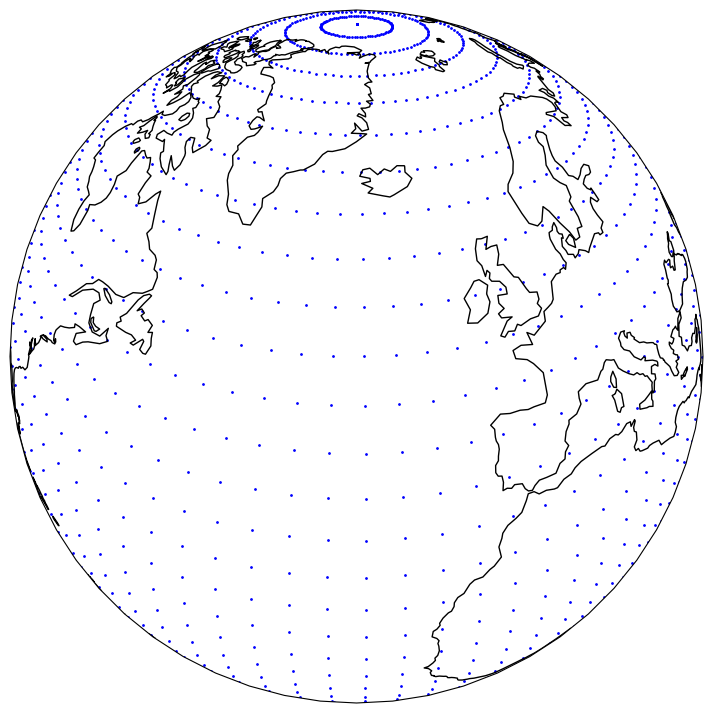
Thinning the dataset with thinning=4 will result in the following
dataset:
masking
You can apply an arbitrary spatial mask to a dataset by specifying the
mask parameter in the open_dataset function. The mask must be a
NumPy .npy file containing a boolean array, where True indicates points
to be kept and False indicates points to be removed.
ds = open_dataset(dataset, mask="path/to/mask.npy")
The mask array must have the same total number of grid points and dimension as the dataset. Please note that this masking will not be automatically applied to the input data provided during inference. Users must ensure they are applying the mask explicitly, for instance via the use of pre-processors.
area
You can crop a dataset to a specific area by specifying the area in the
open_dataset function. The area is specified as a list of four
numbers in the order (north, west, south, east). For example, to
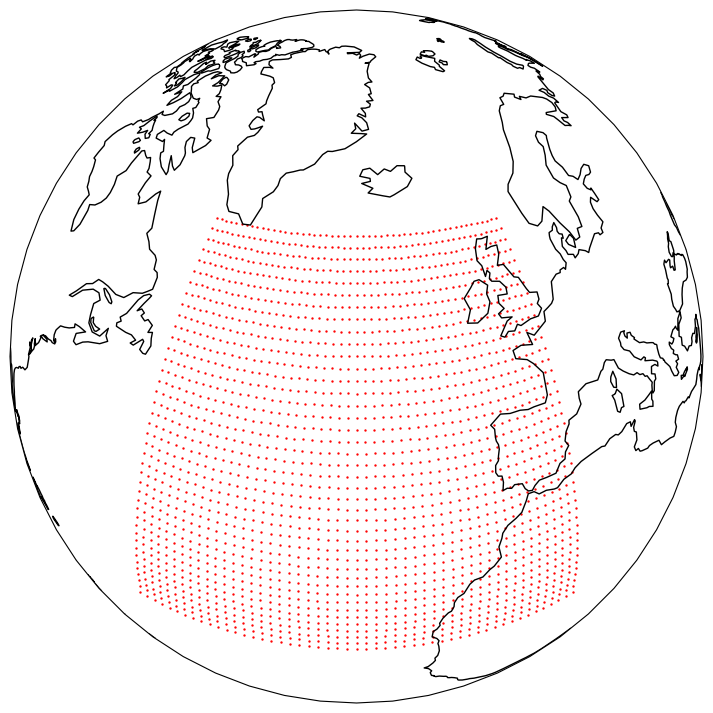
crop a dataset to the area between 60N and 20N and 50W and 0E, you can
use:
ds = open_dataset(dataset, area=(60, -50, 20, 0))
Which will result in the following dataset:
Alternatively, you can specify another dataset as the area. In this case, the bounding box of the dataset will be used.
ds = open_dataset(dataset1, area=dataset2)
trim_edge
You can remove the edges of a limited area domain by specifying
trim_edge parameter in the open_dataset function. This can
either be an integer, representing the number of gridpoints to remove
along each edge, or a tuple of four integers in the order (lower_dim0,
upper_dim0, lower_dim1, upper_dim1).
That is, the following
ds = open_dataset(dataset1, trim_edge=(3, 10, 4, 2))
will remove the first 3 and last 10 rows of the domain, and the first 4 and last 2 columns of the domain. If the first dimension of the grid is the y-dimension (i.e north/south), then 3 grid points in the south, 10 in the north, 4 in the west and 10 in the east will be removed.
Note that if thinning is also specified, trim_edge is applied
first.